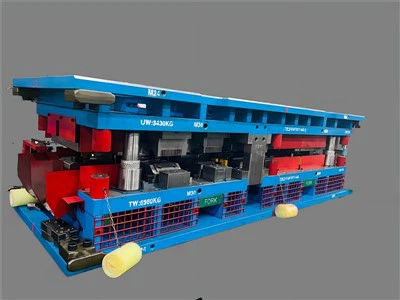
Hey there! As a checking fixture supplier, I've seen firsthand how important user-friendliness is in the industry. A checking fixture that's easy to use can save time, reduce errors, and improve overall productivity. In this blog post, I'll share some tips on how to improve the user-friendliness of a checking fixture.
1. Ergonomic Design
First off, let's talk about ergonomics. An ergonomic checking fixture is designed to fit the natural movements and postures of the user. This means that the controls, handles, and viewing angles should be placed in a way that minimizes strain and fatigue.
For example, if the checking fixture requires the user to bend over or reach awkwardly to access certain parts, it's going to be a pain to use. Instead, we can design the fixture so that everything is within easy reach. We can also adjust the height of the fixture to match the user's height, reducing the need for excessive bending or stretching.
Another aspect of ergonomic design is the use of comfortable materials. The handles should be made of a soft, grippy material that won't cause blisters or discomfort during extended use. And the surfaces of the fixture should be smooth and free of sharp edges that could cut or scratch the user.
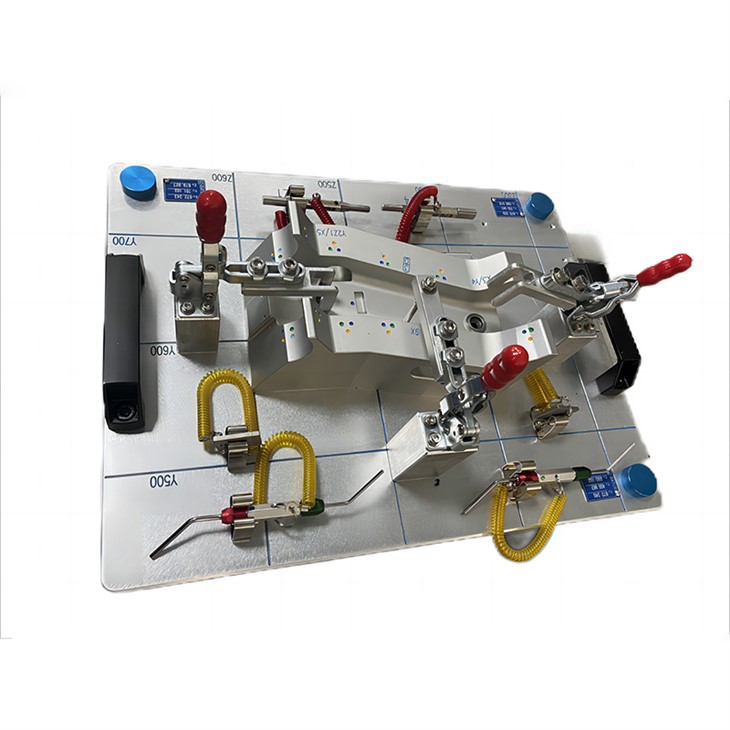

2. Intuitive Interface
Next, we need to focus on the interface of the checking fixture. An intuitive interface is one that's easy to understand and operate, even for users who are new to the fixture.
One way to achieve this is by using clear and simple labels. All the buttons, switches, and controls should be labeled with easy-to-read text that clearly indicates their function. We can also use icons and symbols to make the interface more visually appealing and easier to navigate.
Another important aspect of an intuitive interface is the use of visual feedback. When the user performs an action, the fixture should provide immediate feedback to let them know that the action was successful. For example, if the user presses a button to start a measurement, the fixture could display a green light or a message on the screen to indicate that the measurement has begun.
We can also use color coding to make the interface more intuitive. For example, we could use green to indicate that a measurement is within the acceptable range, and red to indicate that it's out of range. This makes it easy for the user to quickly identify any problems and take appropriate action.
3. Simplified Operation
In addition to an intuitive interface, the operation of the checking fixture should be as simple as possible. This means minimizing the number of steps required to perform a measurement or a test.
One way to simplify the operation is by using pre-programmed settings. Instead of having the user manually enter all the parameters for each measurement, we can create a set of pre-programmed settings that can be selected with just a few clicks. This saves time and reduces the risk of errors.
We can also automate certain tasks to further simplify the operation. For example, if the checking fixture requires the user to move a part into a specific position for measurement, we can use a robotic arm or a conveyor belt to automate this process. This not only saves time but also ensures that the part is always in the correct position for accurate measurement.
4. Training and Support
Even the most user-friendly checking fixture will require some training for the users. That's why it's important to provide comprehensive training and support to ensure that the users can operate the fixture effectively.
We can offer on-site training to the users, where our technicians will demonstrate how to use the fixture and answer any questions they may have. We can also provide user manuals and online tutorials that the users can refer to at any time.
In addition to training, we should also provide ongoing support to the users. This means having a dedicated support team that can be contacted by phone or email to assist with any technical issues or problems that the users may encounter.
5. Compatibility and Integration
Finally, we need to consider the compatibility and integration of the checking fixture with other systems and equipment. A checking fixture that can easily integrate with other systems can improve the overall efficiency of the manufacturing process.
For example, if the checking fixture can be connected to a computer or a network, the measurement data can be automatically transferred to a database for analysis and reporting. This eliminates the need for manual data entry, which can be time-consuming and error-prone.
We should also ensure that the checking fixture is compatible with other equipment in the manufacturing process, such as robots, conveyors, and assembly lines. This allows for seamless integration and reduces the need for additional equipment or modifications.
Conclusion
Improving the user-friendliness of a checking fixture is essential for increasing productivity, reducing errors, and improving the overall quality of the manufacturing process. By focusing on ergonomic design, intuitive interface, simplified operation, training and support, and compatibility and integration, we can create a checking fixture that's easy to use and provides accurate and reliable results.
If you're interested in learning more about our Jig Checking Fixture, Auto Checking Fixture, or Checking Fixture Components, or if you have any questions or need a quote, please don't hesitate to get in touch. We're always happy to help you find the right solution for your needs.
References
- Smith, J. (2020). Ergonomic Design Principles for Industrial Equipment. Journal of Industrial Design, 15(2), 34-45.
- Johnson, A. (2019). Intuitive User Interfaces for Manufacturing Equipment. Proceedings of the International Conference on Manufacturing Technology, 456-463.
- Brown, C. (2018). Simplifying Manufacturing Processes through Automation. Manufacturing Engineering Magazine, 23(4), 56-63.