Hey there! I'm a supplier of CNC turning parts, and I'm stoked to share some insights on how to program for these parts. Whether you're a newbie looking to get into the game or a seasoned pro wanting to brush up on your skills, this blog's for you.
First off, let's talk about what CNC turning is. It's a manufacturing process where a cutting tool is used to remove material from a rotating workpiece. This creates parts with precise dimensions and smooth finishes. And programming is the key to making this whole process work like a charm.
Understanding the Basics of CNC Programming
The first step in programming for CNC turning parts is to understand the basic concepts. You gotta know about coordinates, tool paths, and G-codes. Coordinates are like the GPS for your CNC machine. They tell the machine where to move the cutting tool in the X, Y, and Z axes. Tool paths are the routes that the cutting tool takes to shape the workpiece. And G-codes are the commands that control the machine's movements.
For example, G00 is a rapid positioning command. It moves the cutting tool quickly to a specific location without cutting. G01 is a linear interpolation command. It moves the tool in a straight line at a specified feed rate while cutting the material.
When you're starting out, it's a good idea to use a simple part as a test case. A cylindrical part with a few simple features like grooves or threads is a great place to begin. You can create a basic program for this part and then gradually add more complexity as you get more comfortable with the programming process.
Designing the Part
Before you start programming, you need to have a clear design of the part you want to create. This involves creating a detailed drawing or 3D model of the part. You can use CAD (Computer-Aided Design) software for this. There are plenty of great CAD programs out there, both free and paid.
Once you have the design, you need to analyze it to determine the best way to machine the part. This includes deciding on the starting material, the cutting tools you'll use, and the sequence of operations. For example, if you're making a part with a hole in the center, you might start by drilling the hole and then turning the outer diameter.
Creating the Program
Now, let's get into the nitty-gritty of creating the CNC program. You can use CAM (Computer-Aided Manufacturing) software to generate the program automatically based on your CAD design. CAM software takes the design and converts it into a set of G-codes that the CNC machine can understand.
There are different types of CAM software available, ranging from basic to advanced. Some popular ones include Mastercam, Fusion 360, and SolidWorks CAM. These programs have user-friendly interfaces and offer a wide range of features to help you create accurate and efficient programs.
If you prefer to write the program manually, you'll need to have a good understanding of G-codes and M-codes. M-codes are used to control other functions of the CNC machine, such as turning the coolant on or off, starting and stopping the spindle, etc.
Here's a simple example of a CNC turning program for a cylindrical part:
O1000 ; Program number
N10 G20 ; Set units to inches
N20 G97 S1000 M03 ; Set spindle speed to 1000 RPM and start spindle clockwise
N30 T0101 ; Select tool 1 and set tool offset
N40 G00 X2.0 Z0.1 ; Rapid move to starting position
N50 G01 Z-1.0 F0.01 ; Linear move to cut the outer diameter at a feed rate of 0.01 inches per revolution
N60 G00 X3.0 Z0.1 ; Rapid move back to clear the part
N70 M05 ; Stop the spindle
N80 M30 ; End of program
This program starts by setting the units to inches, then sets the spindle speed and starts it. It selects a tool, moves the tool to the starting position, cuts the outer diameter, moves back to clear the part, stops the spindle, and ends the program.
Testing and Optimizing the Program
Once you've created the program, it's crucial to test it before running it on the actual CNC machine. You can use simulation software to check if the program works as expected. Simulation software allows you to visualize the tool paths and detect any potential errors or collisions.
If you find any issues in the simulation, you need to go back and make the necessary adjustments to the program. This might involve changing the tool paths, adjusting the feed rates or spindle speeds, or modifying the sequence of operations.
After testing and optimizing the program, you're ready to run it on the CNC machine. But before you do, make sure to double-check everything, including the tool setup, the workpiece clamping, and the machine settings.
Using the Right Tools and Materials
The quality of the tools and materials you use can have a big impact on the final outcome of the CNC turning process. When it comes to cutting tools, you need to choose the right type and size for the job. There are different types of cutting tools available, such as turning inserts, drills, and taps.
For example, if you're cutting a hard material like stainless steel, you'll need a cutting tool with a high hardness and wear resistance. Carbide inserts are a popular choice for machining hard materials.
The material of the workpiece also matters. Different materials have different machining properties, so you need to adjust the cutting parameters accordingly. For instance, aluminum is a relatively soft material and can be machined at higher feed rates and spindle speeds compared to steel.
Safety First
Safety is always a top priority when working with CNC machines. Make sure to follow all the safety guidelines and wear the appropriate personal protective equipment (PPE), such as safety glasses, gloves, and ear protection.


Keep the work area clean and organized. Remove any chips or debris from the machine regularly. And never leave the machine unattended while it's running.
Related Products and Services
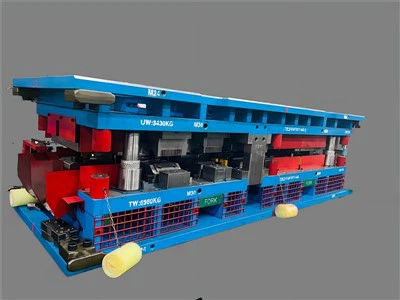
If you're in the automotive industry, you might be interested in our Automotive Metal Stamping Die. These dies are used to create various automotive parts with high precision and efficiency.
We also offer Sheet Metal Stamping Dies for those who need to stamp sheet metal into different shapes. And if you're looking for custom solutions, our Custom Stamping Dies can be tailored to your specific requirements.
Conclusion
Programming for CNC turning parts might seem daunting at first, but with the right knowledge and practice, you can become a pro in no time. Remember to start with the basics, design your part carefully, create a well-tested program, use the right tools and materials, and always prioritize safety.
If you're interested in purchasing our CNC turning parts or have any questions about the programming process, feel free to reach out to us. We're here to help you with all your CNC machining needs.
References
- "CNC Programming Handbook" by Mark Albert
- "Manufacturing Engineering and Technology" by Serope Kalpakjian and Steven Schmid